

Launcher Settings
Features
Section titled “Features”
Folders
Section titled “Folders”This is where you can set the location for the Instances, Mods & Icons folders.
Disable the usage of metadata provided by Modrinth and CurseForge for mods.
User Interface
Section titled “User Interface”
Instance view sorting mode
Section titled “Instance view sorting mode”How the instances should be sorted.
This is where you can choose which Icon Theme, Color Theme or Background Cat you want.
This is where you can choose if you want a menubar or toolbar.
Console
Section titled “Console”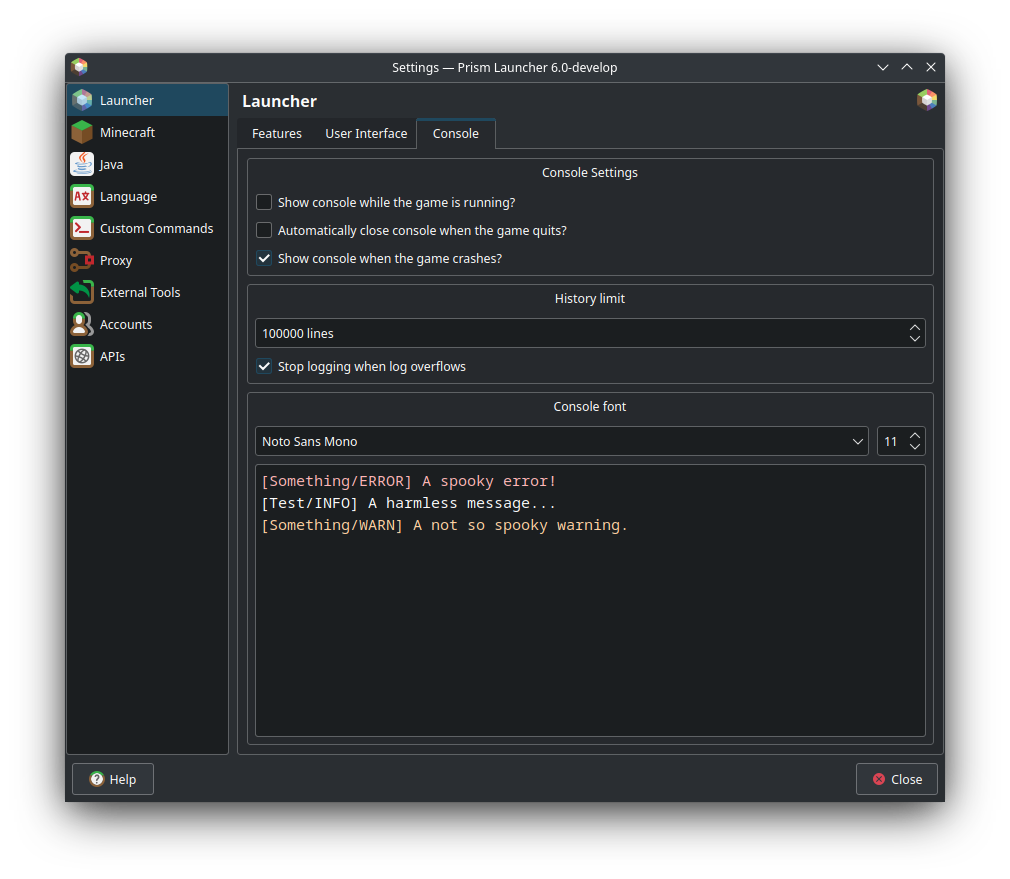
Console Settings
Section titled “Console Settings”This is where you set when the log window should appear.
History limit
Section titled “History limit”This is where you set if you want to limit the log length and by how much.
Console font
Section titled “Console font”This is where you can change the font and font size of the log.